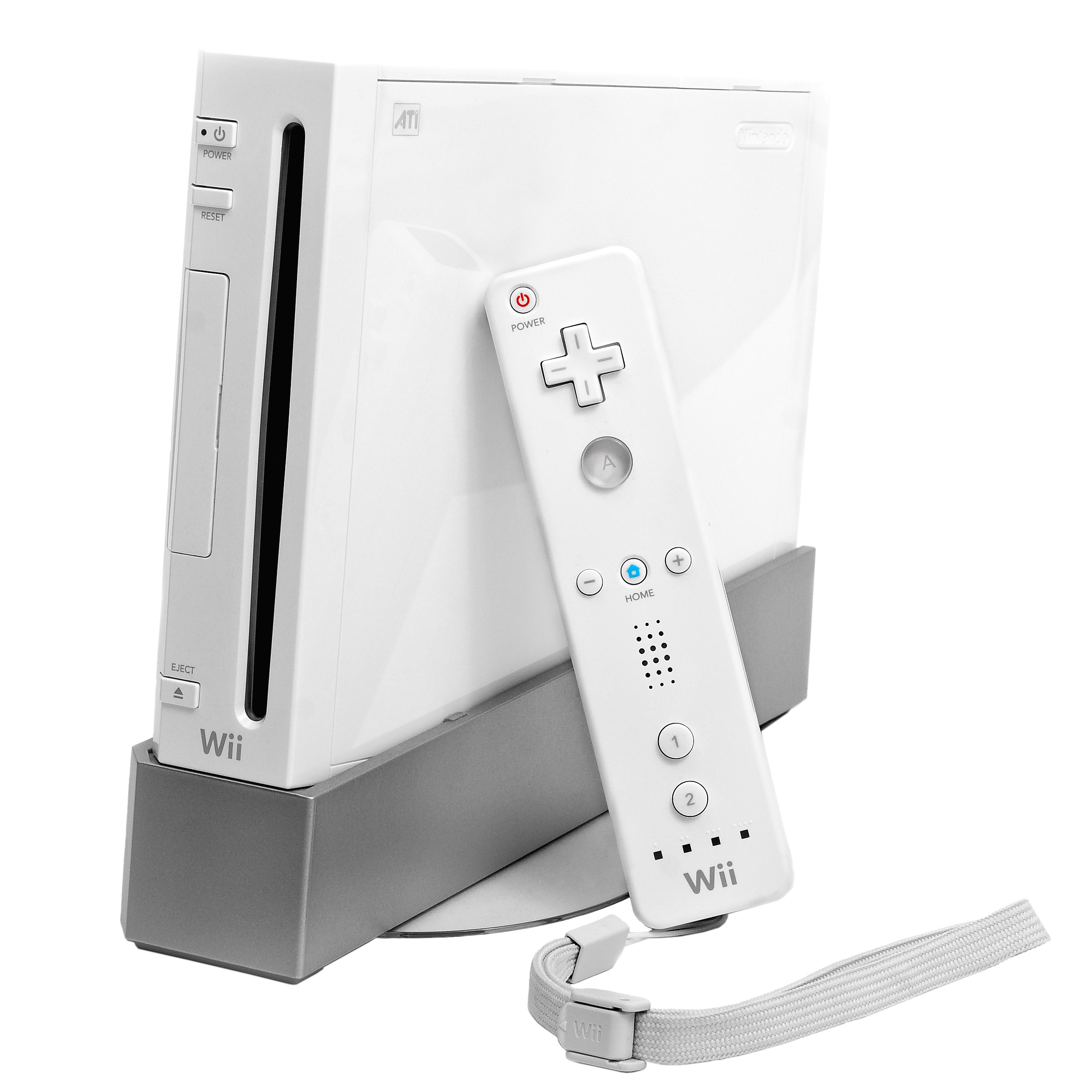

History: a console for the room
Launched in 2006, Wii took Nintendo’s home-console hardware in a different direction after GameCube. Its central invitation was easy to demonstrate: point at the screen, swing a controller and let other people join in. Wii Sports made that idea immediately visible, while familiar adventures and platform games kept traditional play in the picture. The Wii U later succeeded it, but Wii U is a separate console rather than a Wii accessory or another Wii model.
Controllers and the Sensor Bar
The Wii Remote combines buttons with motion input and on-screen pointing. The Nunchuk connects to it to add an analogue stick and extra buttons. The Sensor Bar sits above or below the television to support pointing; it is a separate part worth checking in a used bundle. MotionPlus improves motion tracking, either as an attachment or built into a Wii Remote Plus. Not every game needs it, but titles such as Wii Sports Resort do. Check each game’s required accessories before planning a multiplayer session.
Original, Family Edition and mini
Identify the console by its model number, not just colour. RVL-001 is the original design with GameCube support. RVL-101, often called Family Edition, removes that support and is intended for horizontal use. The compact, top-loading RVL-201 Wii mini also lacks GameCube support and internet connectivity. These are functional differences, not merely cosmetic revisions. If your collection includes GameCube games or accessories that use their controller ports, choose the model deliberately.
GameCube and software compatibility
On a compatible original Wii, GameCube play uses GameCube controllers and its own save-storage arrangement. The Wii Remote is not a substitute for a GameCube controller. Check that the controller-port and memory-card covers are present if completeness matters to your collection. Wii discs and Wii U discs are different formats for different consoles: a Wii cannot play Wii U software. For imported games, check the disc region and language against the console rather than assuming every edition is interchangeable.
Connecting to a modern television
The Wii does not have a native HDMI socket. With an appropriate component cable and supported hardware, the system’s video settings offer 480p; the option is unavailable without the component connection. Wii mini has different video limitations, so do not assume an adapter advertised for Wii works identically with every model. An HDMI converter changes the connection, not the original detail in the game. Test picture, sound and responsiveness on the television you intend to use before judging a console or adapter.
Games for shared and solo play
The Wii catalogue is broader than party games. Our editorial starting points combine an accessible sports introduction, a substantial platform adventure and local racing. Keep the exact release in mind: a Nintendo Selects reissue may suit a playing collection just as well as an early print, while a complete collector copy has different priorities. Check controllers and player counts per game. A box’s online logo describes an original feature and is not evidence that its servers still operate.
Wii Sports
Bowling, tennis and other approachable sports make a useful introduction to motion controls.
Open my collection ↗Super Mario Galaxy
A 3D platform adventure built around small worlds and changing gravity.
Open my collection ↗Mario Kart Wii
A racing starting point for a collection built around local multiplayer.
Open my collection ↗Wii Sports Resort
Explore more precise motion input; check that you have MotionPlus-compatible controllers.
Open my collection ↗Online services today
Checked on 7 September 2026: Nintendo Wi-Fi Connection for Wii and DS software ended on 20 May 2014. The Wii Shop Channel closed for purchases on 30 January 2019. Those closures are separate from playing a disc offline or using local multiplayer. Nintendo’s historical notices contain descriptions of other services that have since changed, so do not treat old references to a shop or transfer service as a guarantee of present availability. For a new collection, verify any digital access before assigning it value.
Inspecting a used Wii
Our checklist starts with a real disc test: launch a game and play beyond the menu. Check disc loading and ejecting, controller pairing, pointing, sound and all included accessories. Inspect Wii Remote battery compartments for corrosion and check that wrist straps are intact. A cheap console-only offer may need a power supply, video cable, Sensor Bar, Remote and Nunchuk before it becomes a useful set. Record model number, region, condition and missing parts separately, and compare completed sales of equivalent bundles.
Care and preservation
Leave ventilation space around the console, keep discs in cases and avoid forcing the drive. Use wrist straps and enough clear space for motion games. Remove controller batteries for long storage and follow the battery manufacturer’s instructions. Before resetting or selling, check personal save data and settings; do not erase the system before deciding what to preserve. Document any repairs or modifications. A clear record helps distinguish original condition from restoration and makes the next owner’s setup easier.
Sources and editorial notes
An independent guide with manufacturer references. Buying choices and inspection checklists are editorial guidance. Services can change; consult current support notices.
- [1] Nintendo — hardware history ↗
- [2] Nintendo — Wii model differences ↗
- [3] Nintendo — Wii manuals ↗
- [4] Nintendo — GameCube controllers ↗
- [5] Nintendo — TV resolution ↗
- [6] Nintendo — Wii Sports ↗
- [7] Nintendo — Super Mario Galaxy ↗
- [8] Nintendo — Wii Sports Resort manual ↗
- [9] Nintendo — Wi-Fi Connection termination ↗
- [10] Nintendo — Wii Shop closure ↗
- [11] Nintendo — Wii mini manual ↗