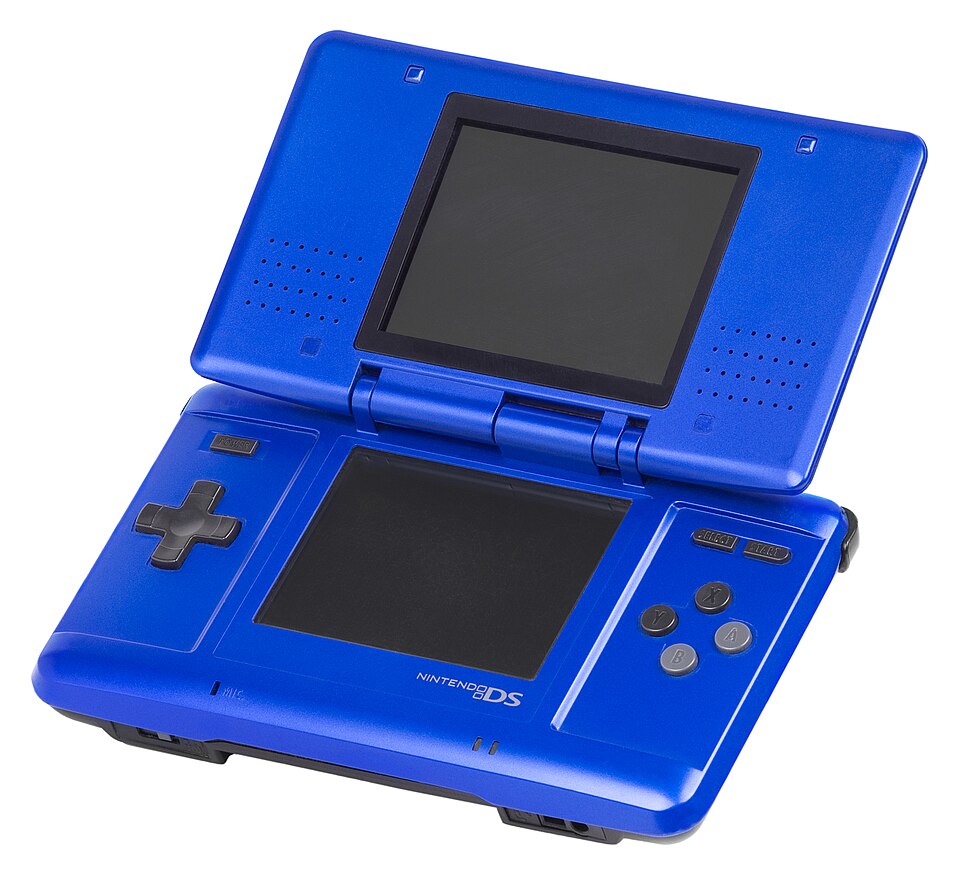

History: a different direction
Nintendo introduced the DS in 2004, with Europe following in 2005. Instead of relying only on more detailed graphics, its defining idea was interaction: a second display, touch input and a microphone. Traditional buttons remained, so developers could combine familiar controls with new ideas. The family grew through DS Lite, DSi and DSi XL, before Nintendo moved on to the 3DS. The DS name describes a family of related machines; a 3DS is a successor, not another DS model.
Hardware and controls
The DS Lite has two 256 × 192 displays, with touch input on the lower screen. A stylus offers precision for writing, drawing and selecting small objects. The directional pad, four face buttons and shoulder buttons support conventional games, while a built-in microphone enables voice and sound input. The separate screens can show a map and action, two viewpoints, or a vertically extended scene. DS Game Cards hold the games; the rechargeable battery makes brightness an important part of everyday battery life.
Original DS, Lite, DSi and XL
The original DS established the folding design. DS Lite made it smaller and retained the Game Boy Advance cartridge slot. DSi added cameras, an SD card slot and downloadable DSiWare, but removed the GBA slot. DSi XL offers larger displays and a larger body. For collecting, record the exact model rather than simply DS: chargers, cases and accessories are not universally interchangeable. Choose a Lite if physical GBA compatibility matters; consider a DSi XL if larger screens matter more.
A library built around variety
The DS is worth exploring across genres, rather than only through expensive collector favourites. Platform games sit alongside pet simulations, puzzle adventures and long role-playing games. Our starting points below illustrate that range. Before buying, check the language on the actual cartridge and packaging, especially for story-heavy imports. Some games use touch constantly; others are comfortable with buttons. That distinction can matter as much as genre when choosing what to play.
Cartridges and compatibility
Original DS and DS Lite play Game Boy Advance cartridges in single-player mode. They do not play original Game Boy or Game Boy Color cartridges, and cannot replace a GBA link cable for multiplayer. DSi and DSi XL lack the GBA slot entirely, so slot-based accessories also require care. Do not confuse a DS Game Card with a 3DS game: a DS cannot run 3DS software. For imports and DSi-specific software, check the exact title and regional requirements rather than assuming every release behaves alike.
Playing today: local and online
Nintendo Wi-Fi Connection for DS and DSi software ended on 20 May 2014. Original online matchmaking and leaderboards should therefore not be treated as included features when buying a game today. Local wireless and supported Download Play are separate from those internet servers. The DSi Shop stopped new purchases and free software downloads on 31 March 2017. Physical games remain the clearest starting point for a new collection; do not value a used system as if an old digital storefront were still open.
Inspecting a used DS
Our inspection checklist: test both screens, touch accuracy across the lower display, every button, sound and cartridge recognition. Open and close the hinge gently and look for cracks around it. Ask whether the shell, screens or battery were replaced; restoration is useful information, not automatically a fault. Record the stylus, charger, box, manuals and cosmetic condition separately in your collection. Compare completed sales for the same model and condition instead of treating a high asking price as its value.
Care and preservation
Use the correct charger and a clean, undamaged stylus. Avoid pressure on the screens and never force the hinge or cartridge slot. Keep the console dry and away from excessive heat. A swollen battery is a reason to stop charging and arrange suitable replacement and disposal. Save files deserve attention too: before selling or resetting a system, establish which saves are on game cards and which data belongs to the console. Keep a record of repairs so the next owner understands its history.
Sources and editorial notes
An independent guide with manufacturer references. Buying choices and inspection checklists are editorial guidance. Services can change; consult current support notices.